Monday, October 28, 2019

Genius Hour 1.5

Photo Editing Week 5

Going into week 5 I thought there was nothing that could go wrong.  I felt confident with my ability to edit, but using a new program on my computer was quite the experience.  I failed over and over trying to edit my two photos.  I easy spent over an hour this genius hour just editing.  As a matter of a fact, I spent a little over an hour on each photo.  Things just weren't panning out how I would've liked.  There were certain edits that I could undo, and some I could not.  That being said I had to restart from scratch a few times, and it was super frustrating.  After all was said and done I was quite pleased with my results, but I know I could've done better.  This is one of the two photos I was able to recreate from my 1.2 genius hour.  
This is my recreation of my 1.2 edit.  I focused on making the lighting and composition more realistic.  I was able to add more attention to the building and the night sky.

 Although I'm not super impressed with this weeks edits, I know that editing is a process just like learning.  If I would've been able to spend a large amount of time editing, the possibilities for my edits would be endless.  Next week, I with be choosing new images to attempt some new editing techniques.  

Tuesday, October 15, 2019

Genius Hour 1.4

Photo Editing Week 4

Week 4 of my photo editing process was a huge success.  This was the first time I used my new phone app to create some cool edits. My plan was to recreate my edits from week one, that I conducted using edits like lighting and color.  I was super impressed with all the features I was able to use in a free editing app.  I now not only have the ability to make my photos better quality and more colorful, but I have the power to add and remove subjects from my images.  This reminded me of a Photo-shop type effect, which I was very pleased with, especially from my phone.  This is one of the recreations from my week one phone edits. 
On the left is the original photo, the center is my week one edit, and on the right is my first attempt at playing around with the image.  


While using the PicsArt app this week, I saw numerous different techniques I could apply to images later on.  I tried not to overwhelm myself this early on while using the app because I am still unfamiliar with certain tools.  My plans for week 5 are to recreate my second week edits that I produced using my computer.  I am looking to enhance more than just saturation and color.  Let the real computer editing begin!
  

Monday, October 7, 2019

Genius Hour 1.3

Photo Editing-Week 3

Welcome back to week three of my photo editing experience.  This week was an easier week with the state golf going on.  My plan for this week was to research some new software I could use to help me get more out of my edits.  

I started my research by looking up free software for both my phone and computer.  Because I was looking for free software, I needed to be careful when choosing my programs.  The software had to meet a few different requirements. First, it had to be easy to navigate and use. Second, it had to be able to share photos directly to my computer.  Finally, it had to have tools that my previous apps did not possess. 

  
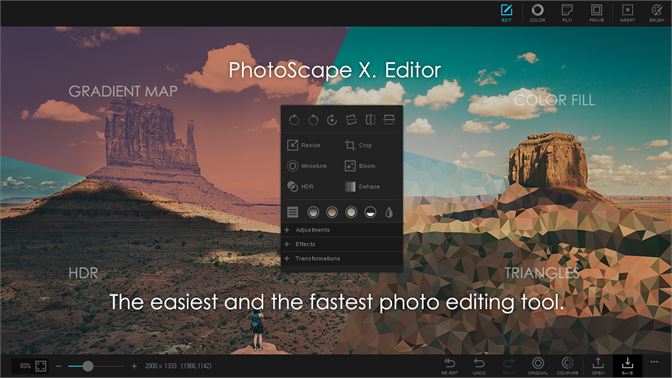
This is the software I have chosen to use on my iMac.  After watching multiple YouTube videos I have become familiar with the software, and I am excited to get started with my first real editing software. 

Image result for pics art
Picsart is the app that I will use to edit photos on my phone, and I used YouTube videos to become familiar with the software as well.

Next week I will use the software to recreate the images I edited in Weeks 1 and 2.  The main focus will be to use my new tools to add several new features to my images.